








Best Project Management Scheduling Tools for Faster Construction Delivery
A mid-size contractor runs three commercial projects at once. One superintendent changes the concrete pour date but forgets to update the central schedule. The steel crew shows up two days early, stands around for six hours, and leaves. Two weeks later, the entire project is behind, costing the contractor $40,000 in idle labor and extended overhead.
This story repeats itself across the industry. Research shows that 98% of construction projects experience delays, and a large share of cost overruns come directly from poor schedule control. One month of overrun on a commercial build can easily burn through tens of thousands in penalties, extended labor, and equipment sitting idle. Legacy scheduling tools and disconnected workflows turn what should be a shared plan into a mess of outdated PDFs, scattered text messages, and Monday-morning surprises.
The good news? Modern project management scheduling tools bring planning, field coordination, and real-time updates into one place. The schedule becomes a live control system instead of a forgotten document buried in someone’s inbox.
This guide breaks down the best project management scheduling tools to help you deliver construction projects faster and with fewer surprises in 2025.

Why Project Management Scheduling Tools Matter More Than Ever in 2025
The Real Cost of Legacy Methods
Too many teams still rely on Primavera P6, Microsoft Project, or spreadsheets to build their schedules. Then they export those plans to static PDFs and email them around. Within a week, the schedule is out of sync with reality.
Project managers waste hours hunting down updates. Superintendents rework lookahead plans on scratch paper because they can’t see the latest version. Subs get conflicting messages about when to show up. The result? Missed handoffs, trades tripping over each other, and delays that ripple through every phase of the project.
Delayed delivery isn’t just frustrating. It hits the bottom line hard. Liquidated damages kick in. Profit margins shrink. Client relationships sour. Everyone points fingers, but the root issue is poor schedule visibility.
What Modern Tools Change
When your whole team works from the same live schedule, things move faster. Office planners, field supers, and subs all see the same tasks, dependencies, and updates in real time. No more version confusion. No more “I didn’t get that email.”
Automation takes care of the tedious stuff. Dependencies update automatically when one task shifts. Reminders and alerts keep everyone ahead of deadlines. Dashboards give leaders a clear view of where projects stand, so they can spot slippage early and move resources before delays spiral.
Real-time collaboration doesn’t just reduce confusion. It shortens reaction time, protects delivery dates, and keeps projects moving.

What to Look for in Project Management Scheduling Tools
Not all scheduling software is built the same. Here’s what separates tools that truly help construction teams from generic project management apps.
Schedule-Building Capabilities
Your tool needs to support project schedules with dependencies, milestones, and a critical path. You need to see which tasks drive the finish date and which ones have float. Support for multiple views matters too. Planners like Gantt charts. Field teams prefer calendars or simple boards. The best platforms let everyone work in a view that makes sense for them.
Lookahead planning is non-negotiable for field coordination. Three-week and six-week lookaheads should tie back to the master schedule so that short-term execution stays aligned with long-term goals.
Resource and Cost Tracking
Schedules mean little if you can’t assign labor, crews, and equipment to tasks. You need to know who is working where, when, and on what. Tools that connect schedule data to job costing and time tracking help you spot productivity problems before they derail deadlines.
Forecasting features let you predict resource needs and catch over-allocation early. This keeps teams from burning out and projects from stalling because you’re short-handed.
Real-Time Collaboration
Multi-user access with role-based permissions is table stakes. PMs, supers, subs, and clients should all have access to the parts of the schedule that matter to them. Real-time notifications and comments tied to tasks keep conversations focused and decisions moving.
Centralized document storage matters too. RFIs, change orders, and drawings should link directly to schedule activities so that everyone has the context they need without digging through email chains.
Compatibility with Other Tools
Your scheduling tool should play well with the rest of your tech stack. Look for native integrations or APIs that connect to project management platforms, accounting systems, and BIM tools. You want schedule updates to sync automatically so data doesn’t sit in silos.
Ease of Use
A tool is only helpful if people use it. Cloud access and mobile-friendly interfaces mean supers can check and update the schedule from the jobsite without dragging a laptop into the trailer. Intuitive design matters. If the learning curve is too steep, adoption stalls and the schedule becomes a planner’s job instead of a team tool.
Good onboarding, templates, and vendor support go a long way in getting teams up to speed quickly.
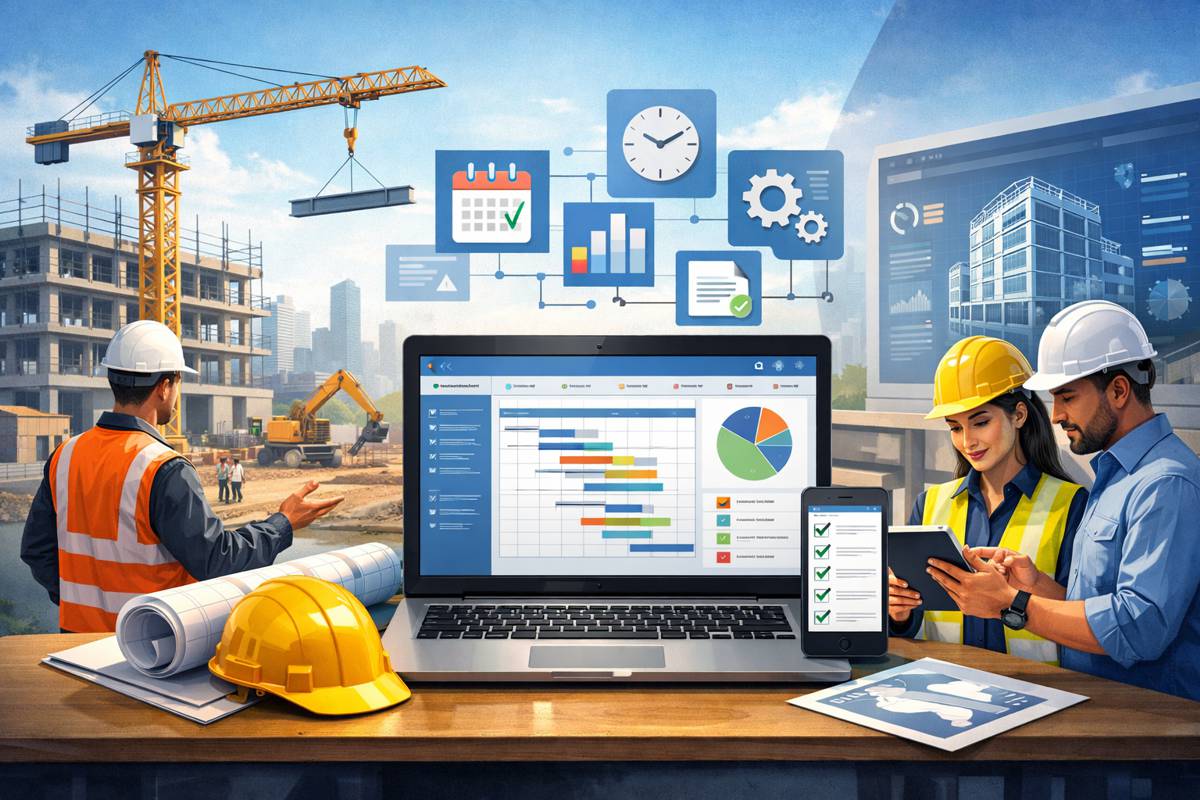
Best Project Management Scheduling Tools for Faster Construction Delivery in 2025
1. Planera
- Location: Pleasanton / San Jose, California, United States
- Company Size: 11-50 employees
- Founded: 2021
- Pricing: Custom (contact sales)
- Primary Focus: Visual CPM scheduling built for construction
Planera is a modern CPM scheduling platform built to replace legacy tools like P6 and MS Project. Its canvas-style interface lets teams build and refine complex schedules together in real time. General contractors, owners, and builders who need high-quality schedules that work for both planners and field teams are the target users.
Planera turns the schedule into a live coordination tool instead of a static file. It combines CPM rigor with DCMA quality checks and real-time collaboration to help teams react faster to field changes.
Key Features:
- Collaborative Canvas Scheduling: Drag-and-drop scheduling on a digital whiteboard lets multiple people build project schedules together live.
- DCMA Schedule Quality Checks: Automated scoring against DCMA standards finds logic gaps and risk areas before work starts.
- Master + Field Schedule Sync: Field lookahead plans stay connected to the master CPM schedule so jobsite realities and management views align.
- Portfolio & Risk Visibility: Portfolio dashboards and scenario tools help leaders see which projects are at risk and test alternative sequences.
- Construction Tech Integrations: Integrations with Procore and Autodesk keep schedule data synchronized with drawings, RFIs, and records.
Real-World Use: A national builder used Planera to standardize project scheduling across regional offices. Schedule creation time dropped, and coordination between planners and field teams improved. Leadership gained clearer visibility into portfolio-level risk and reassigned resources to keep more projects on track.
2. Basecamp
- Location: Chicago, Illinois, United States
- Company Size: ~50-170 employees
- Founded: 1999 (product launched 2003)
- Pricing: $15/user/month or $299/month flat for unlimited users
- Primary Focus: Simple project management and team coordination
Basecamp is a straightforward tool for small teams that want to avoid enterprise complexity. It doesn’t offer CPM but provides simple scheduling, task management, and communication in one place. Construction teams needing light project management scheduling rather than full CPM can use Basecamp as a hub for to-dos, deadlines, and discussions.
Basecamp keeps everyone clear on what needs to get done, by whom, and by when. It works best for smaller firms or internal teams where simple schedules and check-ins are enough.
Key Features:
- Schedules & Hill Charts: Built-in schedules and Hill Charts show progress from start to finish visually.
- Centralized To-Do Lists: Tasks with due dates and assignees keep smaller projects organized.
- Message Boards & Real-Time Chat: Discussions stay organized around projects, reducing scattered emails.
- Flat-Rate Pro Unlimited Plan: $299/month for unlimited users makes whole-company adoption affordable.
- Client Access: Clients can view selected projects and schedules, improving transparency.
Real-World Use: A 15-person design-build firm adopted Basecamp Pro Unlimited to unify communication, task lists, and deadlines. Spreadsheets and text-message coordination disappeared. The team saw fewer missed handoffs and faster issue resolution.
3. Workyard
- Location: San Mateo, California, United States
- Company Size: 11-50 employees
- Founded: 2016
- Pricing: Starts at $6-$8 per user/month plus base fee
- Primary Focus: Workforce management, crew scheduling, GPS time tracking
Workyard focuses on day-to-day crew scheduling and tracking instead of CPM-based project planning. Contractors assign workers to jobs, capture GPS-verified time, and understand labor costs by project and cost code. This closes the gap between what the schedule says and what happens in the field.
Workyard provides execution data that informs higher-level project schedules. Seeing who worked where and on what helps project managers adjust plans quickly.
Key Features:
- Crew & Job Scheduling: Create and manage daily and weekly schedules for crews across multiple sites with mobile visibility.
- GPS Time Tracking: Verifies on-site presence at clock-in and clock-out, aligning recorded hours with planned schedules.
- Job Costing by Cost Code: Allocates labor hours to jobs and cost codes, giving PMs real productivity data.
- Real-Time Workforce Dashboard: Shows who is working where and which jobs need more hands.
- Payroll & Accounting Integrations: Pushes approved time data into payroll systems, easing reconciliation.
Real-World Use: A regional mechanical contractor implemented Workyard to coordinate dozens of small and mid-size jobs each week. Better visibility into crew deployment and productivity reduced last-minute reshuffling and helped them hit aggressive deadlines.
4. Smartsheet
- Location: Bellevue, Washington, United States
- Company Size: Public company, millions of users
- Founded: 2005
- Pricing: Pro and Business plans ~$9-$19/user/month, Enterprise custom
- Primary Focus: Enterprise work and project portfolio management
Smartsheet is a flexible platform that uses a spreadsheet-like interface to manage schedules, tasks, and resources. It supports Gantt, Kanban, and calendar views, adapting to different project management styles. Construction owners, large contractors, and PMOs use Smartsheet for portfolio-level scheduling, reporting, and resource planning.
Smartsheet excels at coordinating many projects and giving executives real-time visibility into schedule performance. Its strength lies in portfolio management, not construction-specific CPM.
Key Features:
- Multi-View Project Scheduling: Gantt, card, grid, and calendar views let planners, PMs, and field leaders work in their preferred format.
- Project & Portfolio Dashboards: Customizable dashboards roll up status and schedule health across projects, surfacing slippage.
- Resource & Capacity Planning: Tools for workload balancing help allocate teams across projects to avoid bottlenecks.
- Automation & Workflow Rules: Built-in automations handle reminders, approvals, and dependencies.
- Deep Ecosystem: Integrates with productivity, CRM, and dev tools, embedding schedules into the broader enterprise stack.
Real-World Use: A construction-focused PMO used Smartsheet to consolidate schedule data from dozens of project managers. Leadership gained real-time insights into at-risk work and reallocated resources quickly, reducing overruns across the portfolio.
5. CoConstruct
- Location: Charlottesville, Virginia / Omaha, Nebraska
- Company Size: Previously ~50-100 employees, now part of Buildertrend
- Founded: 2004
- Pricing: Historically ~$499/month, now part of Buildertrend tiers
- Primary Focus: Residential construction management with scheduling, financials, and client communication
CoConstruct served custom home builders and remodelers. It now runs under the Buildertrend brand but keeps familiar scheduling workflows. Planning ties tightly to selections and budgets, helping builders manage projects from lead to warranty.
CoConstruct connects schedule milestones with selections, budgets, and client expectations. Within Buildertrend, those capabilities expand into more field management and reporting tools.
Key Features:
- Selection-Linked Schedules: Schedules adjust based on client decisions and material lead times.
- Budget-Aware Milestones: Schedule milestones tie to budget items so PMs see financial impacts when dates shift.
- Client Portals & Updates: Homeowners view schedule phases and updates, reducing friction.
- Change Order Impact Tracking: Change orders update both financials and schedule timelines automatically.
- Buildertrend Suite Access: Existing workflows run within a broader platform for field management and communication.
Real-World Use: Meg & Co. Designer Homes migrated from CoConstruct into Buildertrend’s platform. Deeper financial tracking and forecasting helped them anticipate schedule impacts from selections and change orders, leading to smoother builds.

Choosing the Right Software for Your Team
Match Software to Company Size
Small teams (1-15 employees) fit well with Basecamp for lightweight scheduling or Workyard for crew tracking. Mid-sized contractors (15-100 employees) benefit from Planera for construction-specific CPM or CoConstruct/Buildertrend for residential end-to-end management. Larger firms and PMOs (100+ employees or many concurrent projects) should look at Smartsheet for portfolio oversight, often paired with construction-focused tools like Planera or Workyard.
Think About Project Types
Custom homes and remodeling projects work well with CoConstruct/Buildertrend because scheduling ties to selections and client updates. Commercial and complex builds need Planera for CPM-based planning and risk analysis. Trade contractors juggling many small jobs benefit from Workyard’s crew-level scheduling and time tracking. Owner and PMO environments coordinate multiple contractors best with Smartsheet.
Evaluate Compatibility Needs
If you need tight accounting and CRM connections, CoConstruct/Buildertrend and Smartsheet have strong ecosystems. If you work heavily in Procore or Autodesk, Planera fits naturally. If you need labor and payroll sync, Workyard bridges schedule and spend data.
Factor in Total Cost
Compare per-user pricing against flat-rate models. Basecamp charges a flat fee. Smartsheet and Workyard price per user. Buildertrend uses tiered platform pricing. More complete platforms need more setup time but can replace multiple tools, so consider long-term scalability and the true cost of switching.

What’s Coming Next in Project Management Scheduling
AI and Predictive Tools
Scheduling software is starting to use AI to predict delays based on historical performance, weather, and supply chain issues. Expect more tools to recommend task resequencing or resource shifts automatically to protect finish dates.
Tighter Plan-vs-Actual Feedback
Schedule tools now pull data directly from time tracking, progress reports, and even IoT sensors. This tighter loop between planning and execution reduces lag and helps teams course-correct faster.
Mobile-First, Cloud-Native Design
Schedulers and supers increasingly expect to review and adjust schedules from phones and tablets on-site. Cloud-native tools update instantly across devices, making it easier for distributed teams to stay aligned no matter where they work.

A Living Plan That Guides Every Decision
Project management scheduling isn’t just about drawing a Gantt chart anymore. It’s about keeping a living plan that guides every decision on a construction project. The right tool depends on your team size, project mix, and how tightly you need scheduling to tie into financials, labor tracking, and portfolio views. Pick well, and you move from chronic overruns to hitting deadlines consistently.
If you’re ready to see what modern construction scheduling looks like, explore how Planera unites office and field planning on a single platform. Book a demo at planera.io and see how real-time collaboration and CPM rigor can shorten planning cycles and keep delivery on track.