






4 Construction Time Clock Apps That Reduce Payroll Errors and Buddy Punching
Payroll errors don’t announce themselves until they’ve already cost you money. Construction time clock apps exist because job sites are busy, workers are spread across multiple locations, and paper timesheets make payroll errors and buddy punching much easier. Tracking who clocked in where, and when, gets complicated fast. After reviewing dozens of time tracking tools built for field-based teams, this guide covers four options worth serious consideration for any construction business tired of chasing down timesheet discrepancies.
How the picks were chosen
Each option was assessed using publicly available information, including user reviews, feature breakdowns, ratings from major software directories, and official product pages. Only tools with a documented track record of serving field-based or construction-adjacent teams made the final cut.
See the full research breakdown
- Buddy Punch – Best for construction time tracking and payroll management
- My Hours – Best for project-based time tracking and invoicing for small businesses
- DeskTime – Best for automatic time tracking and workforce productivity analytics
- TimeTackle – Best for team time tracking and productivity management
Why Construction Time Clock Apps Are Worth the Investment
Running a construction business without a reliable time clock system is a bit like estimating a bid without knowing your labor rates. The numbers won’t add up. Workers spread across multiple job sites, often without consistent supervision, create real exposure for buddy punching and time theft that cuts straight into your margins.
GPS clock-in features verify that workers are actually on site when they punch in. Geofencing rules can block punches from outside an approved radius entirely. And when every hour gets captured accurately, payroll error rates drop and manual timesheet processing shrinks from hours to minutes each week.
That kind of accuracy is rare without the right system in place.
Construction Time Clock Apps Comparison Table
Note: All data in this table is sourced from review platforms and the official websites of the listed companies.
| Company Name | Years Operating | Headquartered In | Price |
|---|---|---|---|
| Buddy Punch | Since 2013 | Appleton, Wisconsin | $4.49/user/month + $19 base fee |
| My Hours | Since 2002 | Ljubljana, Slovenia | $4/user/month |
| DeskTime | Since 2011 | Riga, Latvia | Not publicly listed |
| TimeTackle | Since 2021 | San Jose, CA | Not publicly listed |
1. Buddy Punch – Best for Construction Time Tracking and Payroll Management
Which Industries Does Buddy Punch Serve?
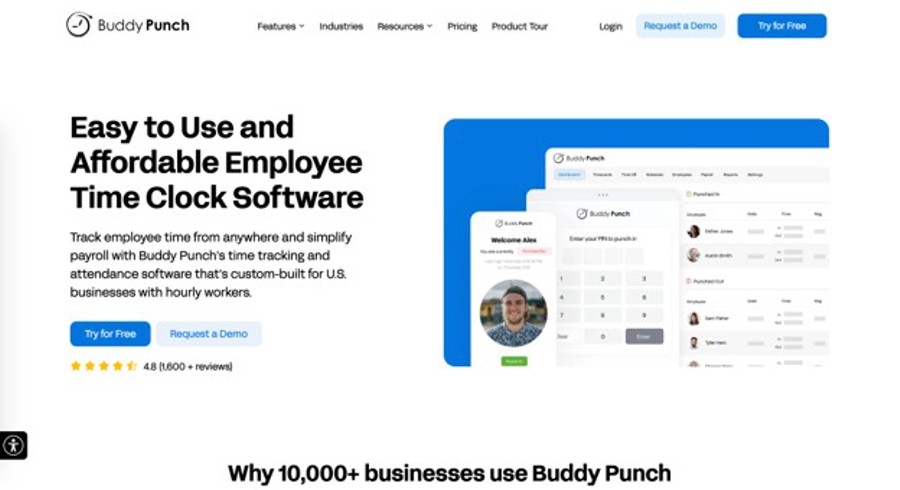
Buddy Punch works well across industries with distributed field teams, and construction is a natural fit. Their GPS punch capability lets workers clock in from a job site while managers see exact location data in real time. Job code tracking keeps labor hours tied to specific projects, which is especially valuable when you’re managing costs across multiple active sites. The mobile app runs on standard smartphones, so there’s no special hardware required. Integrations with popular payroll solutions, includingQuickBooks, ADP, Paychex, SurePayroll mean that verified hours move cleanly into payroll without manual re-entry. Managers can also approve timecards before payroll, receive overtime alerts, and use Photos on Punch for additional verification.
Why Pick Buddy Punch for Construction Time Clock Apps?
Buddy Punch addresses one of the most persistent problems in construction payroll: unverified clock-ins from workers who aren’t actually on site. Their GPS and geofencing tools handle that directly, and the job code system adds a layer of project-level accountability that most time clocks don’t offer. Verified hours then flow directly into QuickBooks, ADP, Paychex, or SurePayroll, helping reduce manual payroll work and payroll errors.”
The Review Roundup
Buddy Punch holds a 4.8 out of 5 rating on both G2 and Capterra, consistently strong across thousands of reviews. Users point to ease of setup and mobile app reliability as standout qualities. The company has earned recognition as “Most Awarded Employee Time Clock Software,” which reflects a track record that’s hard to ignore (especially for a bootstrapped company that’s grown to 10,000+ customers since 2013).
2. My Hours – Best for Project-Based Time Tracking and Invoicing
Which Industries Does My Hours Serve?
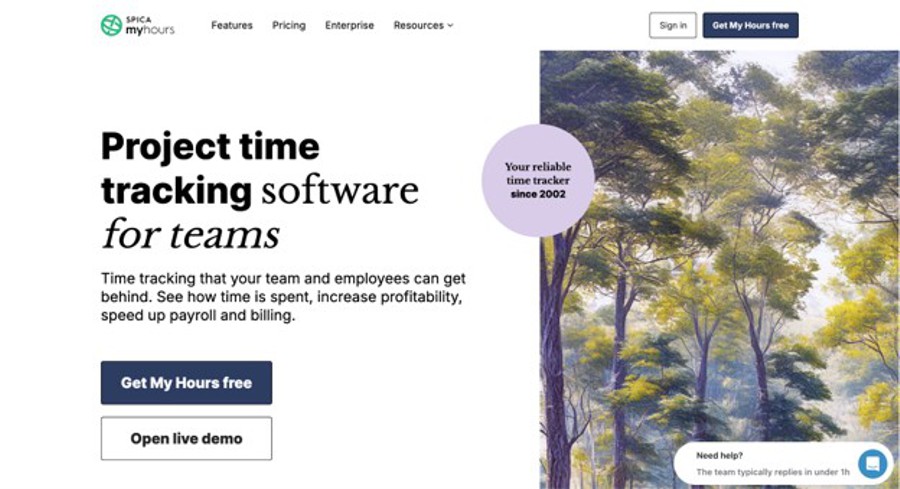
My Hours was built primarily for service-based businesses managing billable client work, including marketing teams, software shops, and consulting firms. For construction companies handling multiple projects with distinct labor budgets and client billing requirements, the project-based time tracking and invoice generation tools offer real value. Teams can track time against specific projects, set budgets, and generate client-ready reports. The platform runs on web, mobile, and desktop with ISO 27001 certified security, which is a solid signal for any team storing sensitive project or payroll data.
Why Pick My Hours for Construction Time Clock Apps?
My Hours solves the challenge of tracking labor costs across multiple simultaneous projects without losing visibility into budget versus actual hours. For smaller construction firms billing clients directly for labor, the invoicing and budget management tools can replace a second piece of software entirely.
The Review Roundup
Honestly, My Hours earns consistent praise for being genuinely easy to use without feeling stripped down. Reviewers frequently mention how clean the reporting features are, especially for teams generating client-facing documents. The biggest wins tend to come for small business teams that need project time visibility without a steep learning curve (and at $4 per user per month, the price is hard to argue with).
3. DeskTime – Best for Automatic Time Tracking and Workforce Productivity Analytics
Which Industries Does DeskTime Serve?
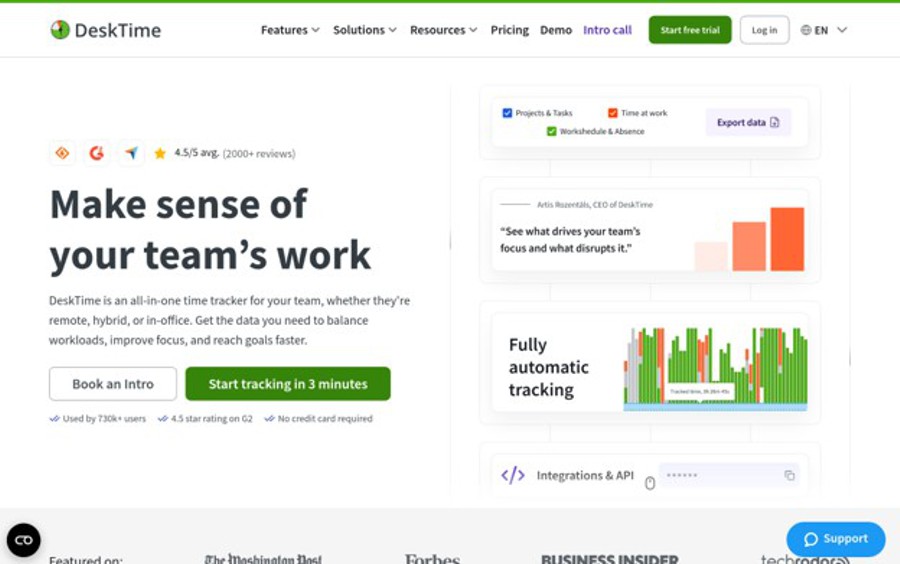
DeskTime started as a solution for teams that needed flexibility and transparency over rigid monitoring, and that philosophy still shows in the product. The platform automatically tracks time across applications, projects, and teams, which suits office-based construction staff like estimators, project managers, and admin personnel. For field workers, the project-based time tracking feature can log hours against specific jobs. With 730,000+ users globally and a 4.5-star average across G2, Capterra, and SourceForge, it’s clearly doing something right for distributed teams.
Why Pick DeskTime for Construction Time Clock Apps?
DeskTime works best when a construction company needs productivity visibility for its back-office team alongside project time tracking for field reporting. The automatic tracking approach removes the burden of manual clock-ins for desk-based staff, which saves time every single day.
The Review Roundup
DeskTime users appreciate the automatic tracking most, especially the fact that time capture happens without anyone remembering to start a timer. The flexibility framing (monitoring that doesn’t feel oppressive) comes up repeatedly in positive reviews. That kind of balance between accountability and autonomy is rare in workforce tracking software, and it shows in the feedback.
4. TimeTackle – Best for Team Time Tracking and Productivity Management
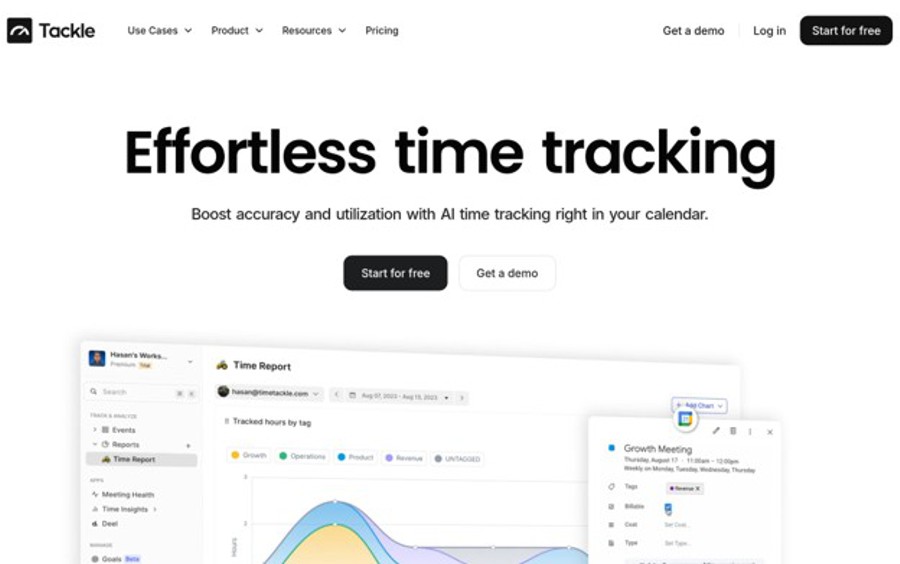
Which Industries Does TimeTackle Serve?
TimeTackle takes a calendar-first approach to time tracking, pulling data directly from Google and Outlook calendars to log hours automatically. For construction project managers and coordinators who live in their calendars, this means time entries populate without extra data entry. The platform serves 300+ teams across industries, with features like automated reporting, dashboards, and a tag recommendation system that categorizes time entries intelligently. Clients include Neo4j, Checkr, and Trainual, showing it scales across different team structures.
Why Pick TimeTackle for Construction Time Clock Apps?
TimeTackle addresses the gap between scheduled project time and actual recorded hours, a problem that’s especially common in construction project management roles where calendar meetings and site coordination eat up hours that never make it into a timesheet. Their automated reporting cuts the weekly reporting burden significantly.
The Review Roundup
TimeTackle users highlight the calendar feature as the one that actually changes behavior (not just the one that sounds good in a demo). One customer reported a 70% increase in client engagement after adopting the platform, which is a specific result worth noting.
Teams that struggle with consistent time logging benefit most from an approach that captures time passively rather than requiring manual input.
Selection Framework: How Each Pick Was Evaluated
Information to Gather for Your Analysis
The research process started by pulling a broad list of time tracking tools from multiple sources. Software directories, review aggregators, and industry-specific resource lists were all tapped to build the initial pool of candidates. Each tool’s official website was reviewed alongside third-party coverage, case studies, and published customer feedback. The goal at this stage was breadth, making sure no well-regarded option was missed before narrowing the field.
Filtering Candidates Against Your Criteria
With a longlist in hand, each tool was assessed against a set of baseline criteria relevant to construction time tracking. Options that couldn’t demonstrate GPS functionality, mobile accessibility, or project-level time allocation were deprioritized. Review patterns across platforms were also analyzed, looking at consistency between what the product claimed and what users actually reported in their feedback. Tools with sparse review histories or unverifiable user bases were cut at this stage.
Checking Facts Against the Source Material
Every claim found on a company’s product page was cross-referenced against independent review platform data. When a company stated a specific rating or customer count, that figure was checked against what review sites actually showed. Where discrepancies appeared between marketing language and user-reported experience, those gaps were factored into the evaluation. This step separated tools with genuinely strong reputations from those relying on polished messaging alone.
Industry Standing Check
Beyond ratings and features, each tool was checked for broader signals of credibility. Awards from recognized software review platforms, mentions in industry publications, and evidence of consistent customer retention all contributed to the assessment. A tool that earns repeat recognition across multiple independent award cycles is showing something more durable than a good marketing campaign. This kind of standing check matters especially in a field like construction, where software needs to perform reliably under real-world field conditions.
Real-World Construction Time Clock Apps Evidence
The final layer of evaluation focused on construction relevance. This meant looking for dedicated construction use case pages, verified reviews from field-based teams, and any published case studies showing the tool used in a construction or field services context. Tools that had clearly documented construction applications, whether through GPS job site verification, prevailing wage support, or certified payroll integrations, were weighted more favorably. This step ensured the final list reflects tools that actually fit the needs of construction business owners and project managers, not just tools that could theoretically be adapted for field use.
Choosing the Right Construction Time Clock Apps: A Quick Guide
Picking a time clock app for construction comes down to more than pricing. The right fit depends on how your crews work, how many job sites you’re managing, and what your payroll process looks like. Here’s what to check before committing.
- Industry/Domain Experience: Look for tools with documented construction use cases. GPS clock-in, geofencing, and job code tracking are baseline features for field teams, not optional extras.
- Features and Services: Confirm the tool covers mobile clock-in, offline functionality for remote sites, and payroll export options. If it can’t handle a mixed workforce of employees and subcontractors, keep looking.
- Pricing Structure: Per-user pricing adds up fast on larger crews. Calculate the total monthly cost at your current headcount, and check whether the base fee plus per-user rate stays manageable as you scale.
- Results Measurement: A good time clock app should reduce payroll processing time and cut error rates. Ask vendors whether customers track labor cost variance or overtime flags, and whether the reporting tools make that data visible.
- Industry Knowledge and Compliance: FLSA rules, Davis-Bacon Act requirements, and state prevailing wage laws are real constraints in construction. Make sure the tool supports the recordkeeping those regulations require.
Wrapping Up
Construction payroll errors and buddy punching are solvable problems, but only with the right tools in place. The four options covered here each bring something specific to the table, whether it’s GPS job site verification, project budget tracking, or automatic time capture.
Buddy Punch stands out for teams that need construction-specific features at an accessible price point. As digital time tracking becomes standard practice in construction, getting ahead of it now pays off.